Budgets that keep pace with your month
Set a monthly budget on any spending category and Brixa shows a live pace bar that tells you at a glance whether you are on track, pushing it, or over.
Budgets fail when they live in a spreadsheet you stop opening. In Brixa the budget sits right on the category, fills up as real transactions arrive from your bank, and changes color as you approach the line.
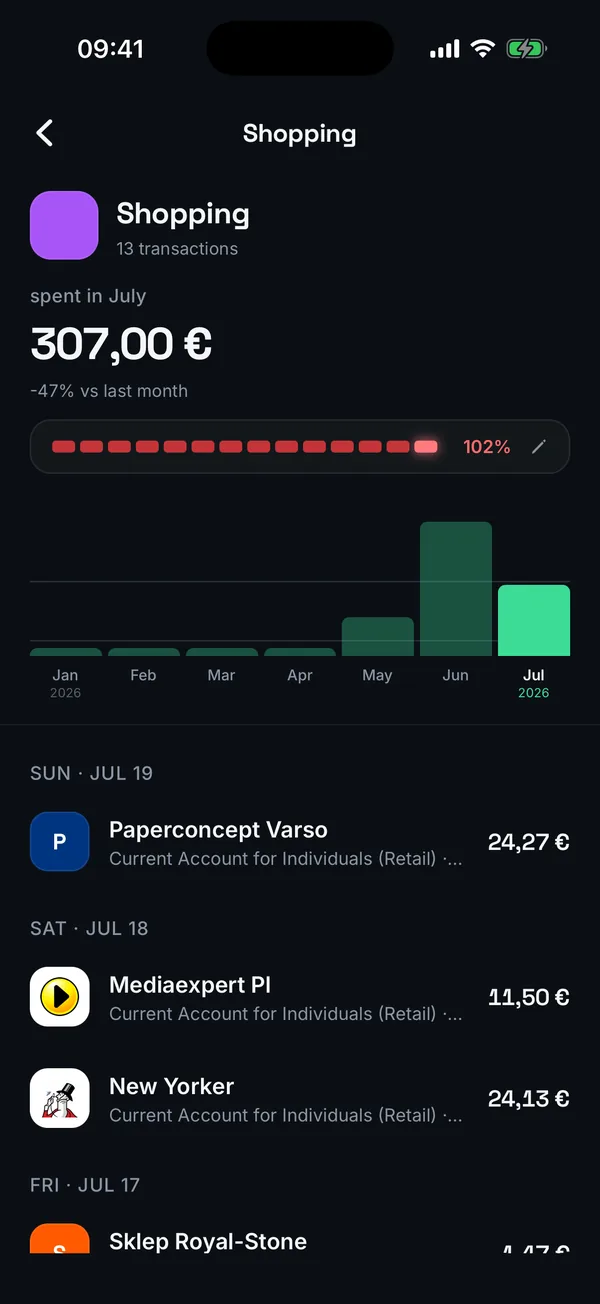
Set it where you see it
Open any category, tap Monthly budget, type a number. Done. The budget lives on the category page and on your overview, not in a separate tool you have to remember.
A pace bar, not a guilt trip
The bar fills with your real spending and shifts from mint to amber to red as you approach and pass the budget. One glance tells you whether the rest of the month needs restraint.
Fed by your bank, not by typing
Because transactions arrive and categorize automatically, your budgets track reality without any logging. Correct a category once and Brixa remembers for next time.
How it works
- Open a spending category and set a monthly budget in seconds
- Transactions from your banks fill the bar automatically
- Colors shift as you approach the limit, so pace is visible at a glance
- Edit or clear the budget anytime, changes apply instantly
Your data stays yours
Read-only access
Brixa can see your transactions but can never move money. Your bank login is never stored.
Licensed open banking
Connections run through a regulated European open-banking (AISP) provider, the same rails your bank trusts.
Hosted in the EU
Your data lives in the EU and is handled the GDPR way. It is yours, and you can delete it anytime.
No ads, no data selling
Brixa is paid for by a simple subscription, so your financial data is never the product.
Questions people ask
You set a monthly amount per spending category. Real transactions from your connected banks fill the budget automatically, and a pace bar shows how you are tracking against the month.
No. Transactions import from your banks and are categorized by AI, so budgets update themselves. You only step in to correct a category, and Brixa learns from it.
The pace bar turns red and the overshoot is visible on the category. Brixa shows you the reality rather than punishing you; the point is catching it early next month.
Set a limit and forget about it
Brixa watches the category against real spending and tells you before the month gets away from you.